
Use this article to submit evidence for a Learner outside of a Learning Experience in Beacon.
Jump To:
Submit Evidence
- Select the
 icon in the bottom right corner of any page.
 - Select Submit Evidence.
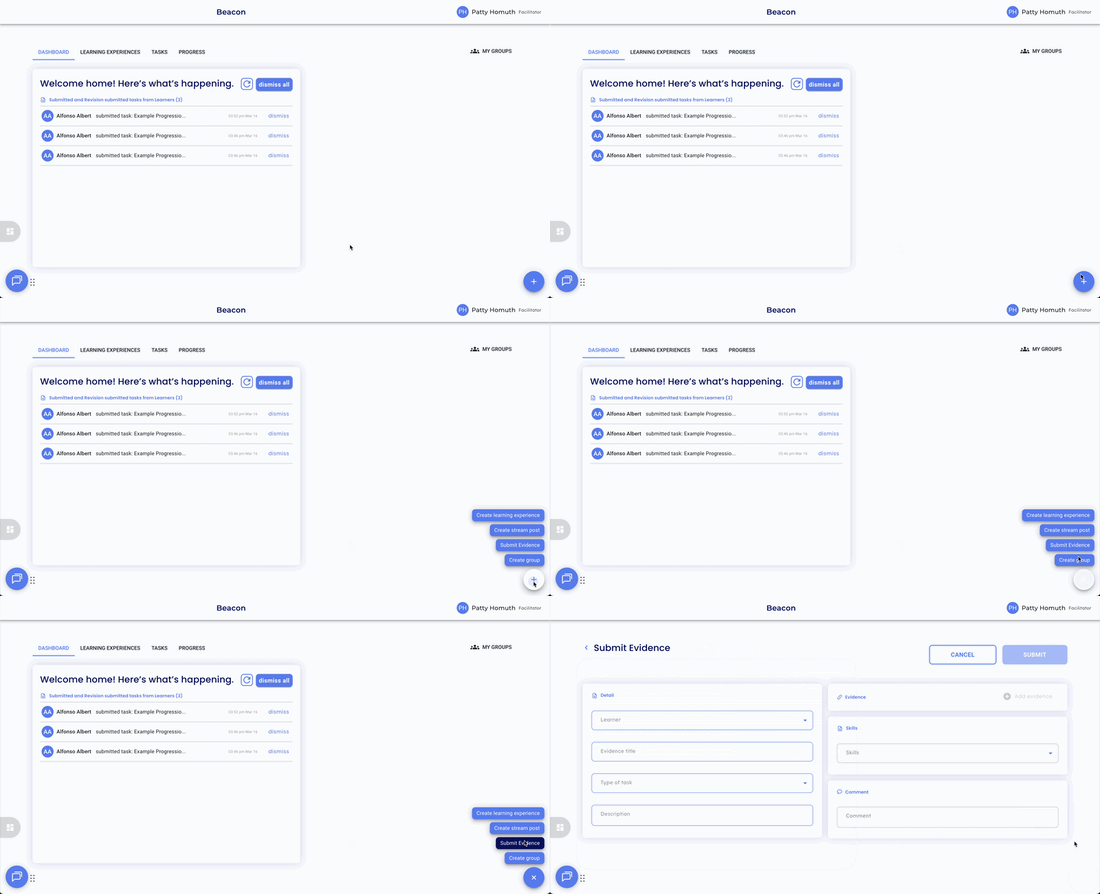
- Select the Learner you are submitting evidence for.
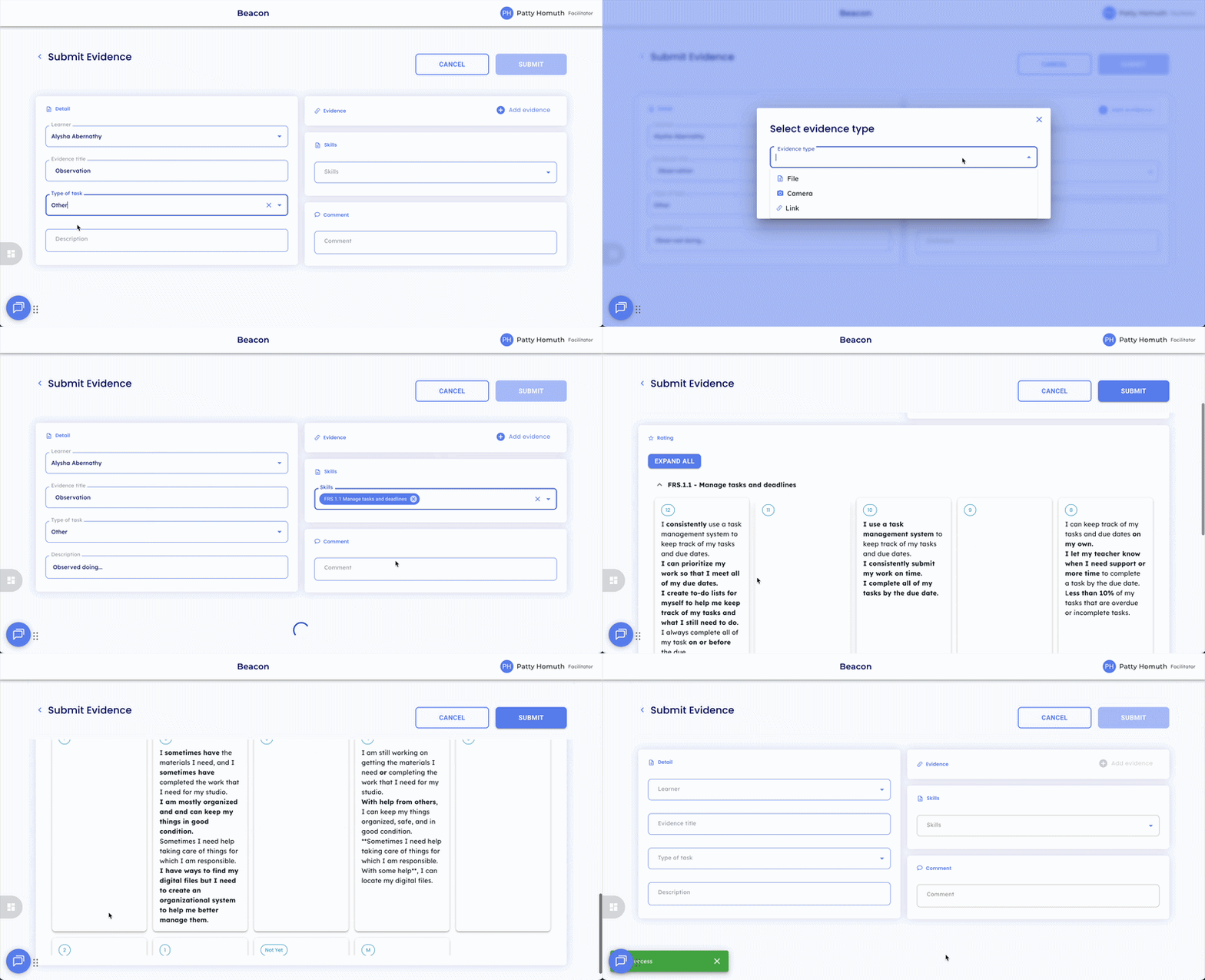
- Enter an Evidence Title.
- Select a Task Type.
- Add a description (optional).
- Add your evidence.
- Select the skill(s) the evidence aligns to.
- Select a rating for each skill.
- Add any comments (optional).
- Select Submit.
⭐ Once skills are selected, the rating scale and progressions (if available) will appear at the bottom of the form.
Find and Edit a Submitted Evidence Task
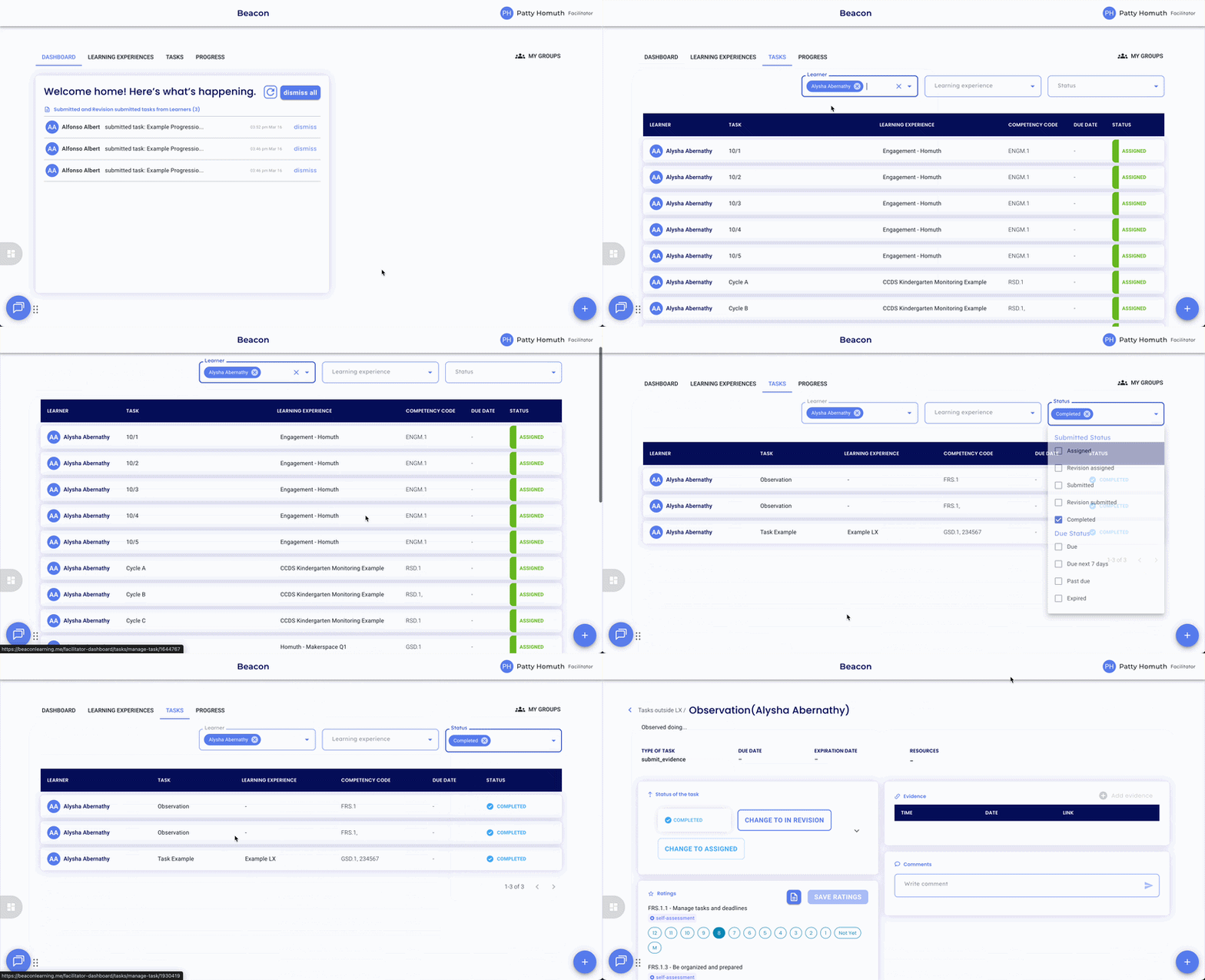
Evidence submitted outside of a Learning Experience can be found in My Tasks.
- Navigate to Tasks.
- Select the Learner.
- Filter for Completed to locate the submitted task.
- Select the task to edit as needed.
🤔 FAQs
Where does evidence submitted outside an LX appear? It will appear under Tasks. Filter for Completed after selecting the Learner to locate it.
Can I submit evidence for multiple skills at once? Yes. Select all relevant skills before submitting: the rating scale will appear for each one selected.