
Use this article to add or remove learners in an existing group in Beacon.
Select My Groups from the profile menu in the top right corner of your screen, then select the pencil icon next to the group you want to edit.
Jump to:
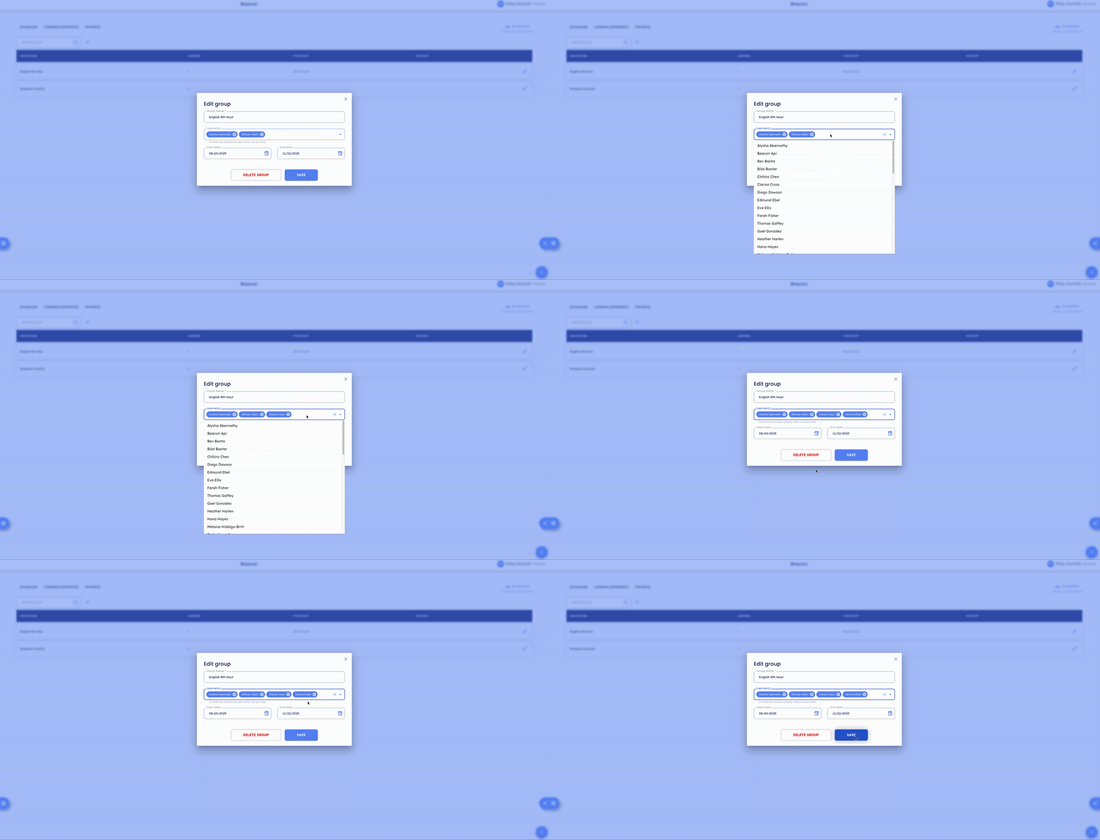
Adding Learners to a Group
- In the Edit Group window, locate the Learners field.
- Search for a learner by name or email address and select them from the list.
- Select Save.
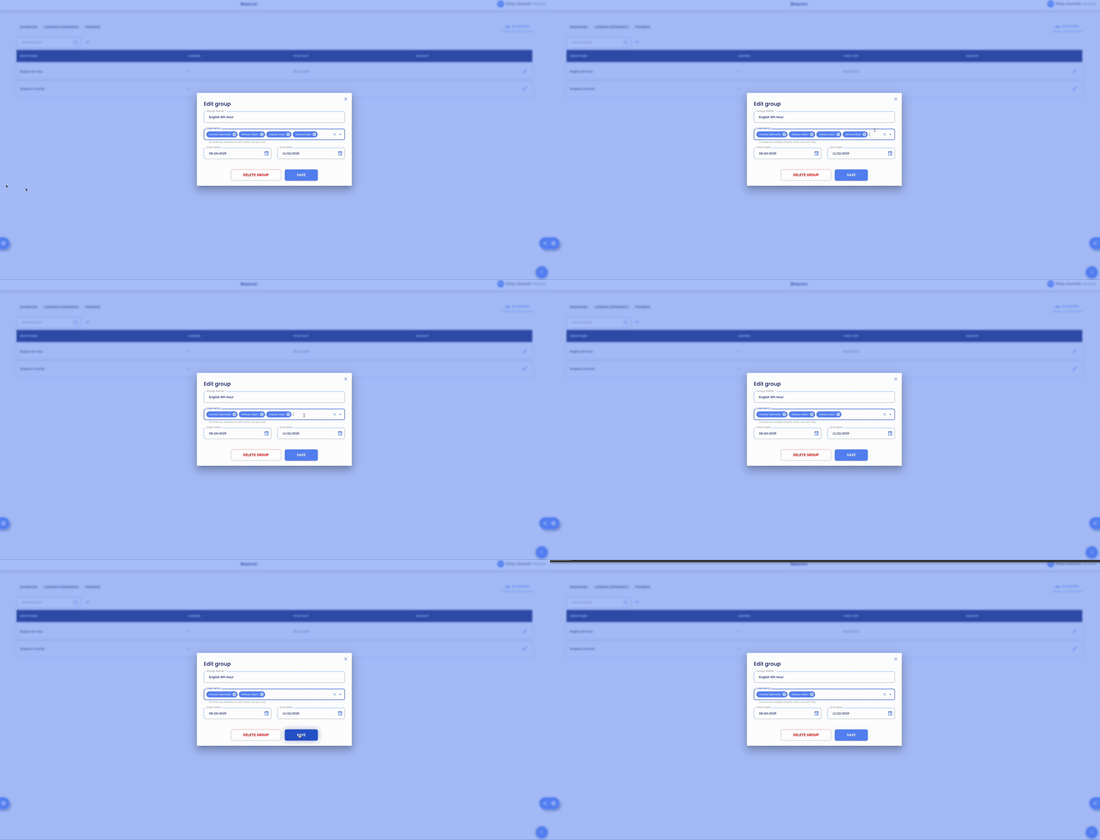
Removing Learners from a Group
- In the Edit Group window, locate the Learners field.
- Select the X next to the learner you want to remove.
- Select Save.
🤔 FAQs
Can I add multiple learners at once? Yes — search and select as many learners as needed before selecting Save.
What happens if I delete a group that's been used in a Learning Experience? Deleting a group permanently removes it from that LX. You won't be able to filter or view learner information by that group within the LX. All ratings and task data remain accessible on the Progress page regardless of group status.
Can I edit the group name or dates in the same window? Yes — the Edit Group window also lets you update the group name and start/end dates.