
Use this article to end a Learning Experience in Beacon.
You must have a Facilitator profile and access to the Learning Experience you want to end.
Jump To:
End a Learning Experience
Setting an end date on a Learning Experience will archive it on that date, removing it from active views while preserving all data.
- Navigate to the Learning Experience you want to end.
- Select the Edit icon
 to open the Edit Learning Experience panel.
 - Enter a date in the End Date field.
- Select Save to apply your changes.
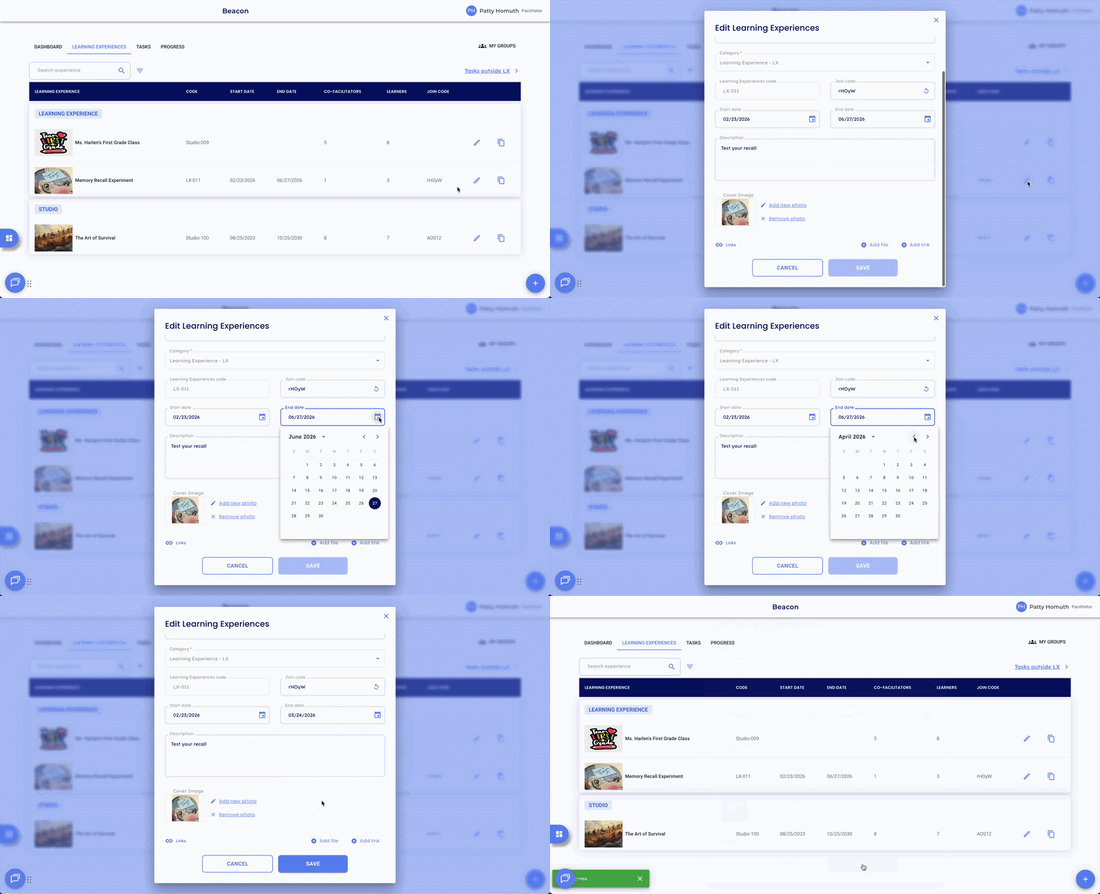
Note: The Learning Experience will move to an archived view automatically on the end date. All Learner data, ratings, and evidence are preserved.
Find an Ended Learning Experience
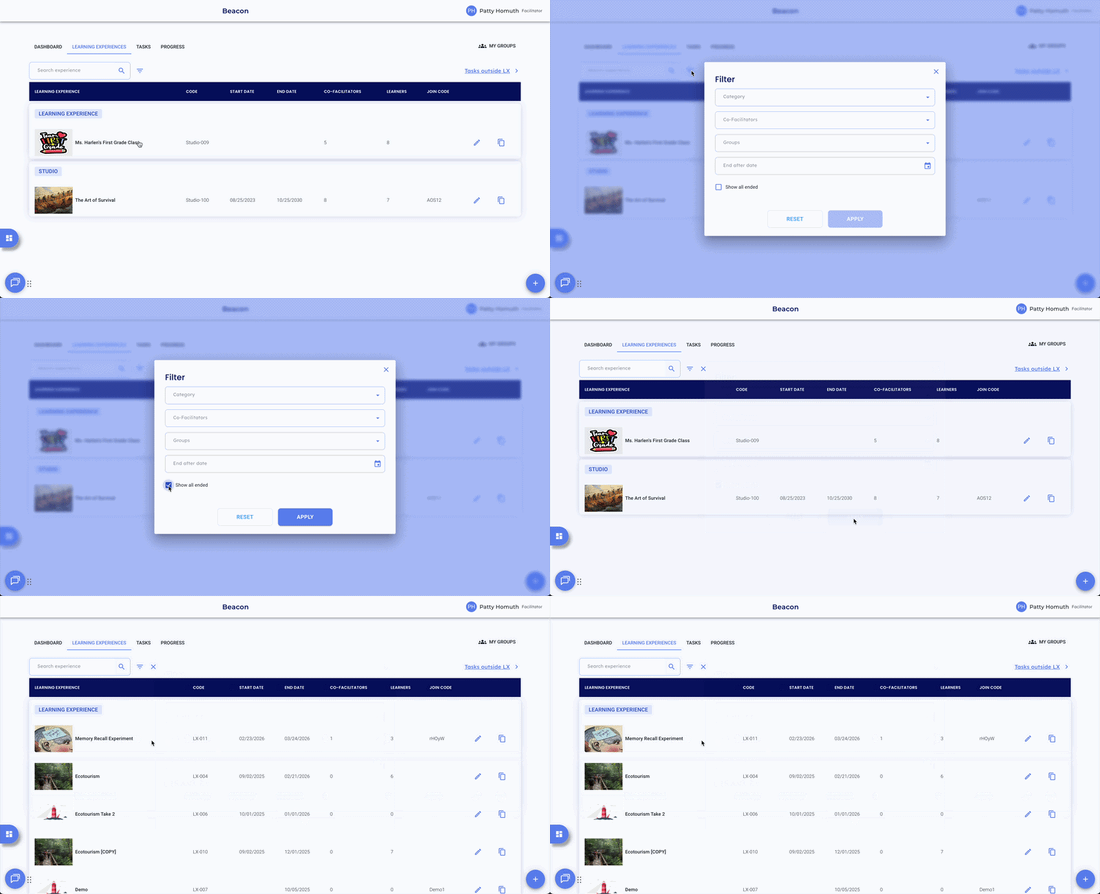
- Navigate to the Learning Experiences tab.
- Select the filter icon
 next to the search bar.
 - Select Show All Ended.
- Select Apply.
Restore a Learning Experience
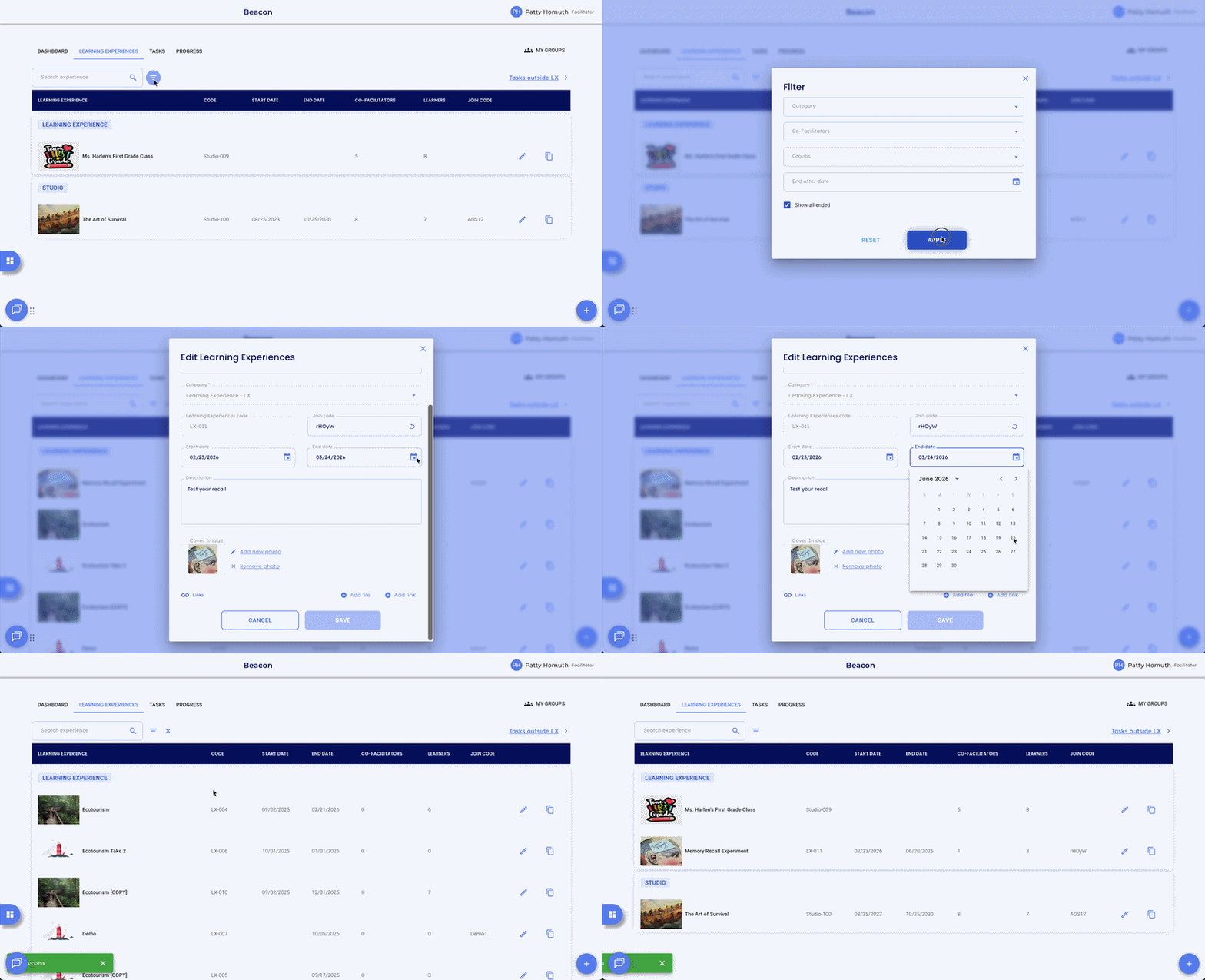
- Find the ended Learning Experience using the steps above.
- Select the Edit icon to open the Edit Learning Experience panel.
- Clear the End Date field or select a date that is further out.
- Select Save to restore the Learning Experience to active status.
- Remove the filter to view all current Learning Experiences.
🤔 FAQs
Will ending a Learning Experience affect Learner data? No. All data is preserved when a Learning Experience is ended. Ratings, evidence, and progress remain intact.
Can I still access an ended Learning Experience? Yes. Use the filter icon  on the Learning Experiences tab and select Show All Ended to locate it.