
Use this article to delete a task in Beacon.
You must have a Facilitator profile and access to the Learning Experience containing the task.
Delete a Task
- Navigate to the Learning Experience containing the task.
- Use the Edit icon
 to open the Edit task panel.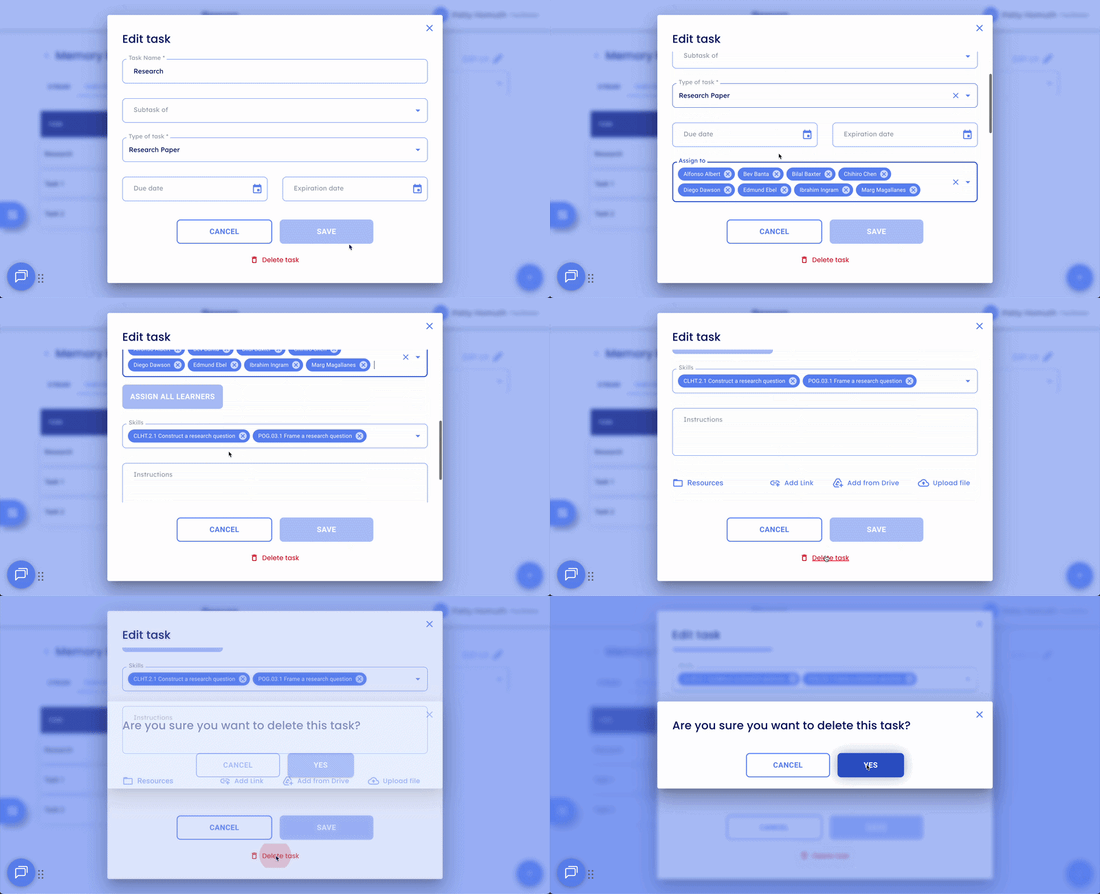
- Scroll to the bottom of the Edit Task panel and select Delete Task.
- Confirm the deletion when prompted.
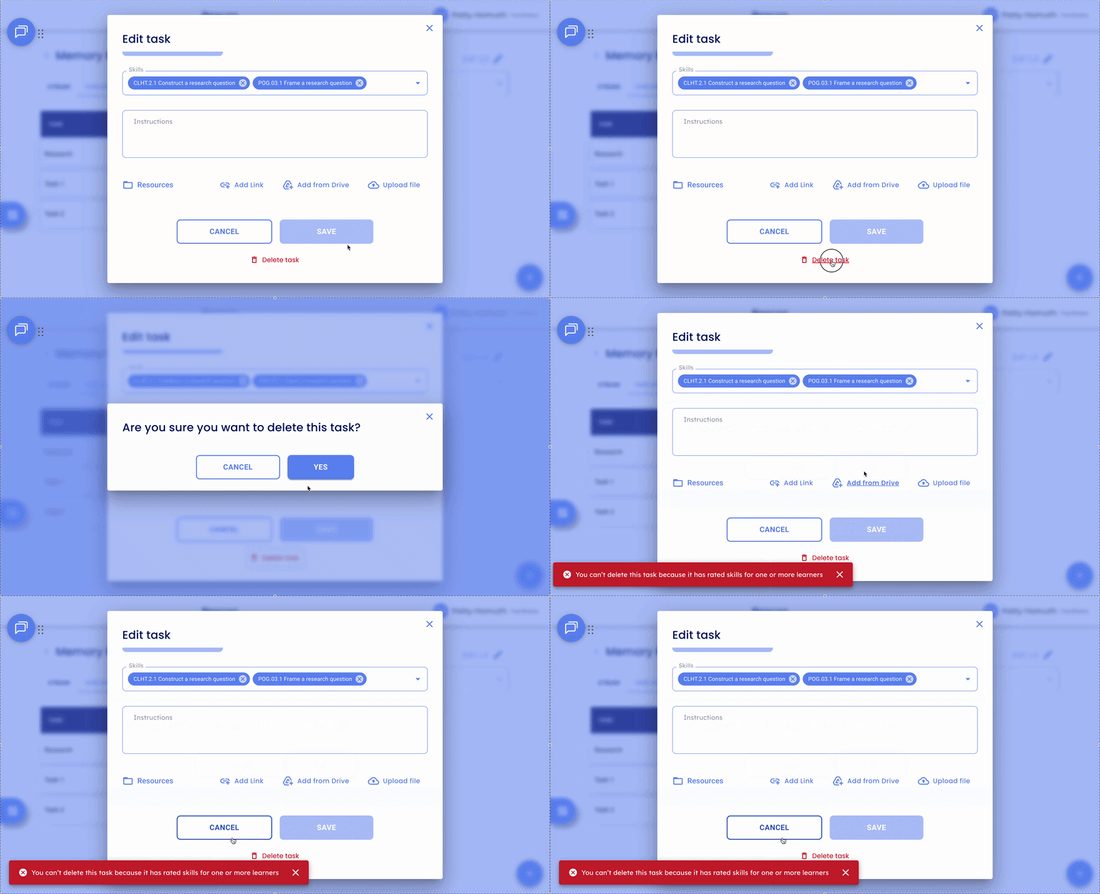
Note: A task can only be deleted if no skills have been rated for any Learner who was ever assigned to it — including Learners who are no longer active or have been removed from a group. If ratings exist, you will see the error message: "You can't delete this task because it has rated skills for one or more learners."
🤔 FAQs
Why can't I delete my task? If ratings have been submitted for any Learner ever assigned to the task, even if that Learner is no longer in the group or no longer active, the task cannot be deleted.
What should I do if I can't delete a task? If the task has been assigned to learners and you no longer want to have it assigned, you can remove learners from the task as long as those learners don't have rated skills.
Can I archive a task? When you end-date a task, it becomes a read-only. Tasks cannot be individually archived, only Learning Experiences can be archived using the end-date feature.